
Claude can analyze Trump's trades for you. Here's how I use it and some helpful prompts
AI Research
Trump
Congress
Updated guide: Adding InsiderCat to Claude now takes one click. See how to set up an hourly Trump & Congress news tracker in Claude, with the full prompt.
- Approach: This is the next step after the guides to politician-trade filing delays and Trump-related market overlaps. I mainly use AI as a clerk that brings public data and recent news together. I do not let it decide what I do with my money; I make the final decision.
1/3: Prerequisites
- The original workflow uses a Claude subscription; the $20-per-month plan was sufficient for this setup. It does not have to be Claude, but Claude integrates well with InsiderCat.
- You need InsiderCat to connect your AI tool to public data on Congress and Trump's disclosed trades and positions.
- You do not have to be technical. Your AI tool can help you work through the setup.
2/3: Getting started
- Connect InsiderCat to Claude. InsiderCat supports an MCP connection, which lets the AI tool query the data directly.
- You can ask research questions such as “Which disclosed Trump-related positions have changed least since disclosure?” or “Where do disclosed congressional positions overlap?” Adapt the questions to the context you want to investigate.
- I ask Claude to review recent news each day and list related Trump, U.S. government, and congressional positions, along with other documented relationships such as suppliers and corporate donors.
3/3: Helpful prompts
- Getting the news — some tools even let you set automated alerts: “Check news today & last few days for new developments involving Donald Trump that have a meaningful, specific stock-market angle, such as actions, policies, executive orders, contracts, investments, tariffs, regulation, government stakes, or statements that could materially affect identifiable publicly traded companies or sectors. Notify me only when there is a meaningful new angle; include the relevant company names/tickers and briefly explain the Trump connection. If there is nothing meaningful and new, do not notify me.”
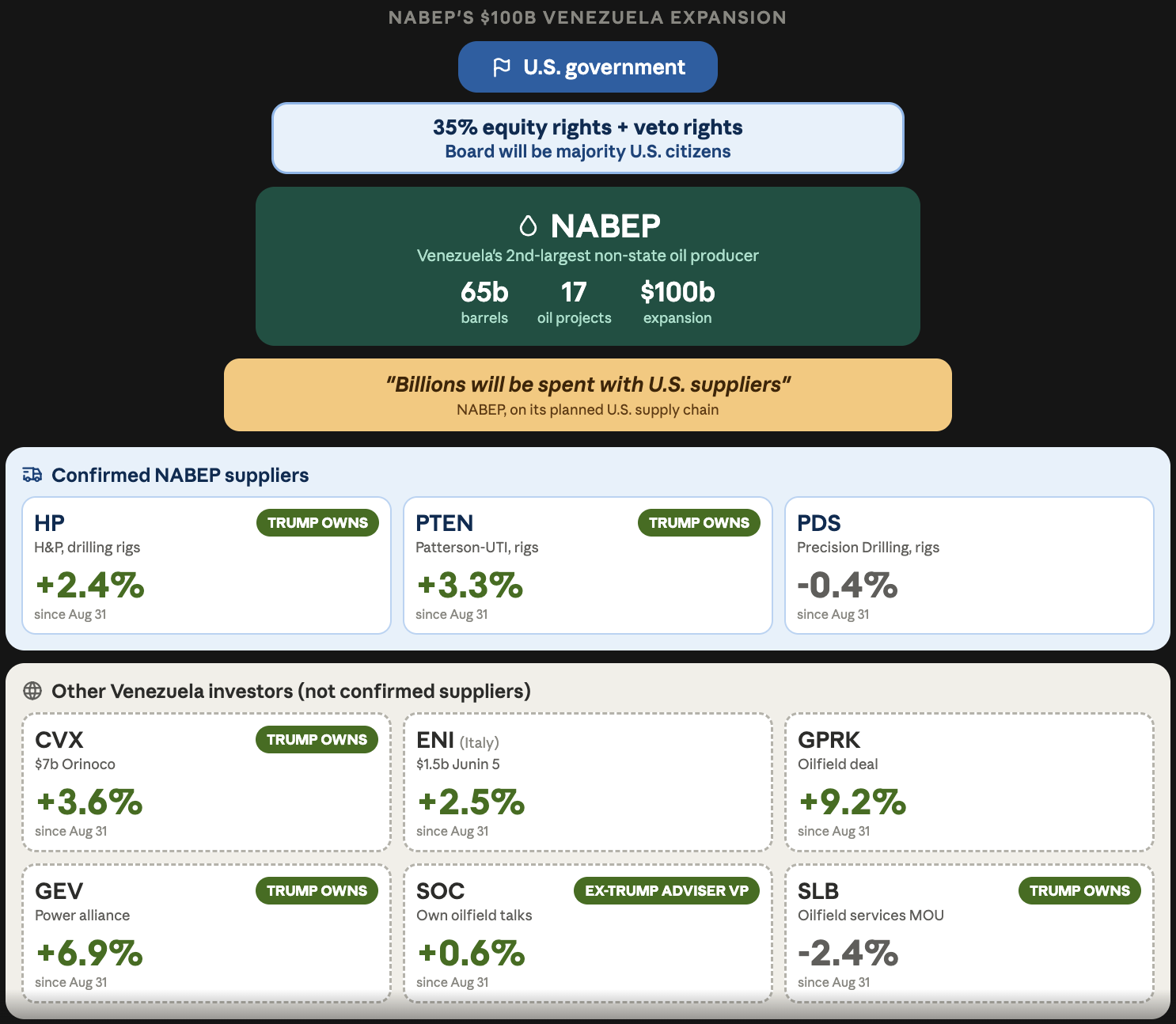
- Finding connections: “Take the companies/tickers from this news and cross-reference them with Trump, U.S. government and Congress positions and recent trades. Also look for relevant relationships such as corporate sponsors/donors, government investments, contracts and major suppliers. Prioritize the strongest and most specific connections. Build a compact visual showing the company/ticker, the news, who owns or traded it, position/trade value, and the connection.”
- If you have preferences for the visuals your tool produces, adjust the second prompt to match them.
- You can also paste the two linked guides into your AI tool so it has the same framework and terminology.